AppleFoundationModelChatbot
Sharing Chatbot Functionality with other apps
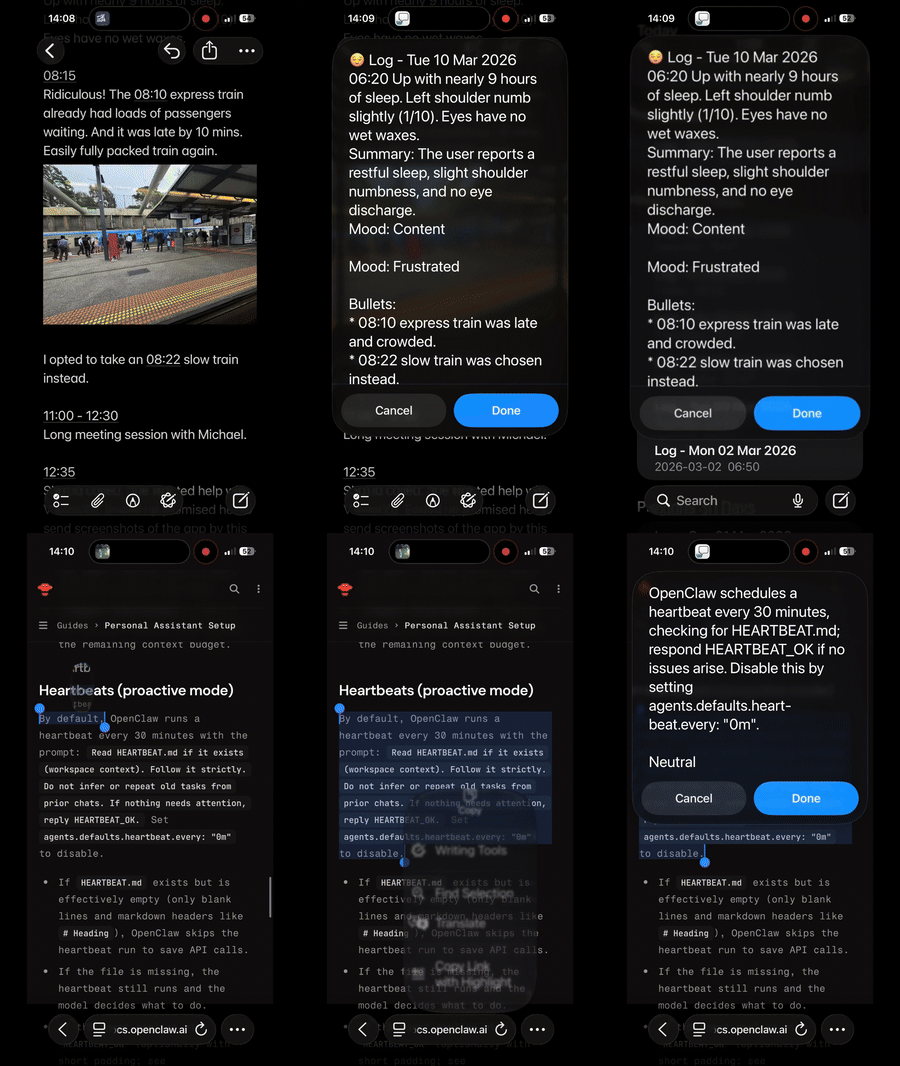
Our first-look chatbot, which we implemented, is not just powerful; we can be generous and share this functionality with other apps. By using Apple’s AppIntent framework, we can quickly achieve this.
Source Code
Full access to source code is available here:
- https://github.com/RMIT-Ace/AppleFoundationModelChatbot
Exposing App Functionality
import SwiftUI
import AppIntents

struct SendToChatbotIntent: AppIntent {

    static let title: LocalizedStringResource = "Send to Chatbot"

    static let description = IntentDescription("Testing")

    static let openAppWhenRun: Bool = false

    @Parameter(title: "To Chatbot", requestValueDialog: "What to send?")
    var target: String

    @MainActor
    func perform() async throws -> some IntentResult & ReturnsValue<String> {
        let answer = await AppleFoundationModelViewModel.shared.ask(prompt: target) ?? "No response"
        return .result(value: answer)
    }
}
Prepare App for Activation via AppIntent
We need to be able to call our chat engine from AppIntent. We will create an app shared object to do this.
class AppleFoundationModelViewModel {

    static let shared = AppleFoundationModelViewModel(instruction:
"""
First display an emoji that is appropriate to represent the whole given text.
Then give analysis on a given input and summarise it into one short sentence with less than 30 words.
Append at the end as a new line the tone or mood of the text.
Append at the end as a new line bullet points of people found in the given input.
"""
    )
    ...

}
Now from an AppIntent, we can access our chatbox engine, for example:
let answer = await AppleFoundationModelViewModel.shared.ask(prompt: someText)
That’s it!
Build and deploy to a device and now other apps on the device can access to Chatbot’s functionality.
Next post we will see how to hook this up.
Stay tune.