SolarSysCodeAlong
RealityKit Code Along - Create Heavenly Objects
Source Branches
https://github.com/RMIT-Ace/SolarSysCodeAlong
In this post, we will be working on these branches:
02-ECS2
SolarSysRealityKit - A Swift Package
This week, we’ll simulate objects and their behaviours within the Solar System. Instead of manually searching for images, we’ll leverage the SolarSysRealityKit package, thanks to Swift Package Manager.
https://github.com/RMIT-Ace/SolarSysRealityKit
This package offers images of the Sun, Moon and Earth. Here’s how to add a Swift package to our Xcode project.
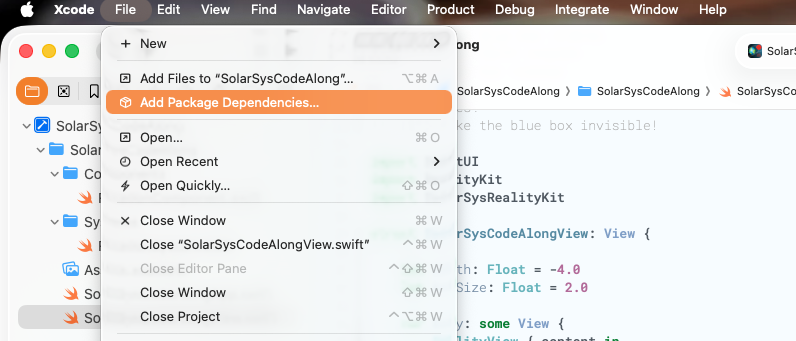
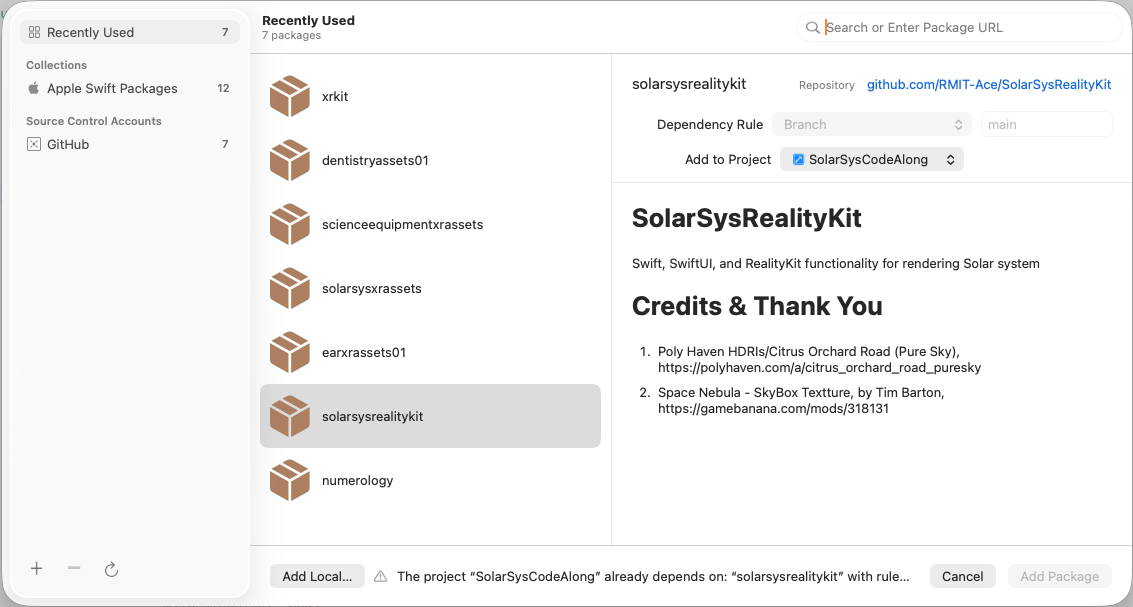
To use this package in our souce code, we simply import it in.
import SolarSysRealityKit
This enables us to utilise resources such as images from this package for example.
if let url = SolarSysRealityKitResources.bundle.url( forResource: "Sun", withExtension: "usdz") {
    if let sun = try? await ModelEntity(contentsOf: url) {
        content.add(sun)
        ...
    }
    ...
}
Let’s create an entity to represent the Sun. You’ll notice these codes are quite standard, having been learned from previous weeks. To make the Sun rotate, we’ll reuse our RotationComponent from the last post.
if let sun = try? await ModelEntity(contentsOf: url) {
    content.add(sun)
    sun.transform = Transform(translation: SIMD3(0, 0, depth))
    sun.scale = SIMD3(repeating: 4)
    sun.components.set(
        RotationComponent(rotationSpeed: 1.0, rotationAxis: [0, -1, 0])
    )
}
Creating an entity for Earth is possible using the same method.
if let url = SolarSysRealityKitResources.bundle.url( forResource: "Earth", withExtension: "usdz") {
    if let earth = try? await ModelEntity(contentsOf: url) {
        earth.position.x = boxSize / 2.0
        earth.components.set( RotationComponent(rotationSpeed: 5.0) )
        ...
    }
}
Adding Earth to the Sun is simply adding a child entity to the Sun entity.
    if let earth = try? await ModelEntity(contentsOf: url) {
        ...
        sun.addChild(earth)
        ...
    }
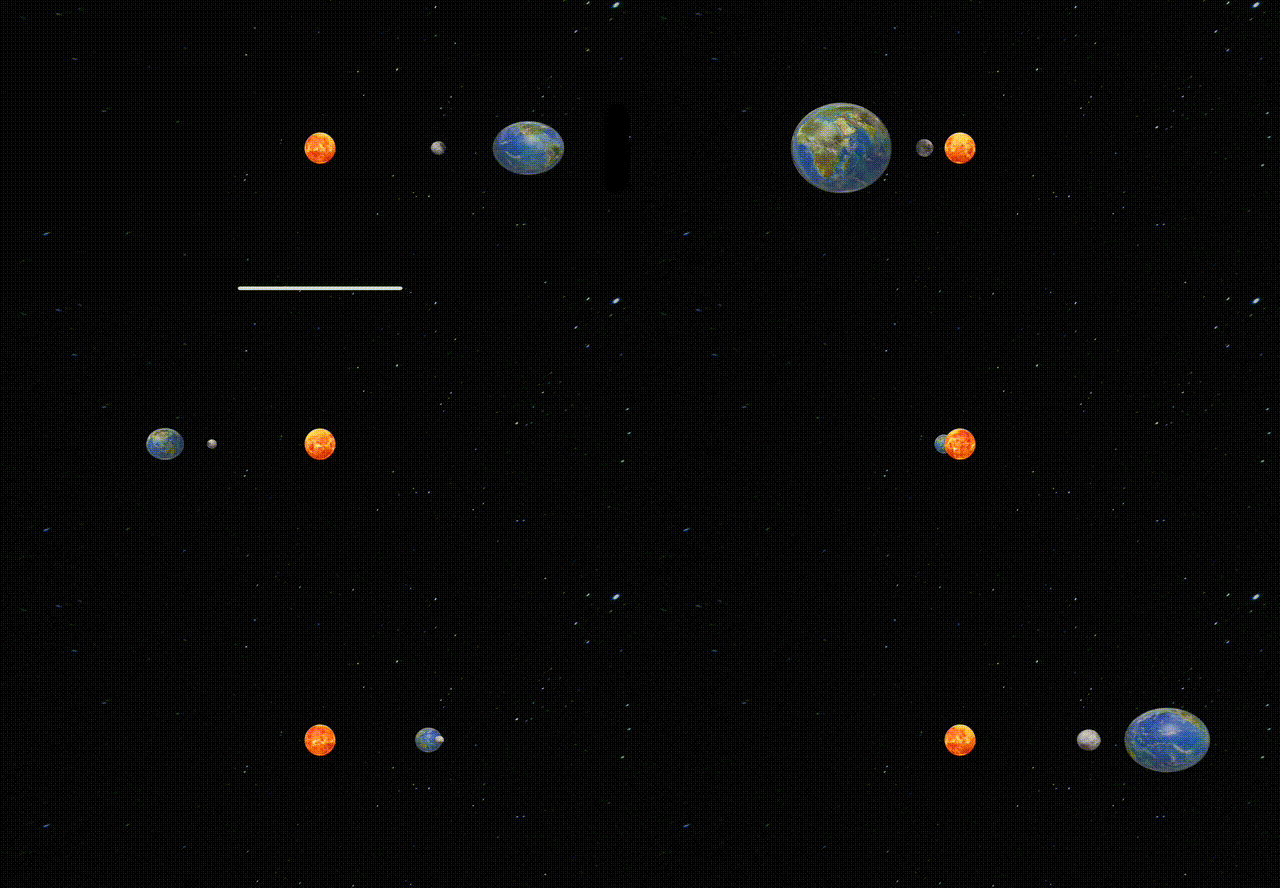
The complete source code is available on the Github branch above. Build and run it to see our heavenly bodies – the Sun, Earth and Moon – rotating. It’s fascinating!
Optical Illusion!
When you add Earth to the Sun, it spins on its axis and also appears to orbit the Sun. This orbital speed matches the Sun’s rotation speed, creating a simple optical illusion. Forget about the Sun, Earth and Moon for a moment and consider this abstractly. When you add an entity to its parent it becomes part of that parent. Therefore, when a parent entity rotates all its parts rotate with it.
What would happen if we wanted Earth to orbit the Sun independently at a different speed and/or direction?
Hold on to that thought for now. We’ll address this behaviour in our next post.
“The ultimate Answer to Life, the Universe and Everything is … 42!” – Douglas Adams.
Ace